
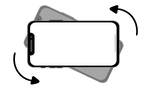
If you're using a mobile device, turn the phone lengthways to play in landscape mode for the best experience.
More information below:
The SETU Labs Energy Game is a fun way to learn about saving energy in wet labs.
How to play
Tap and drag to collect "energy orbs" in the game grid.
Use energy to power lab activities.
Watch out for energy saving actions that can prevent "energy drain".
Tutorial and settings
The game starts with a short guided tutorial and a help menu is available during the game, look out of the "?" button in the top right hand corner.
In-game music is turned off by default but you can turn it on by using the sound or settings menus.
Device compatibility
The waste game can be played on most internet browsers, including on PC, laptop, mobile phone and tablet devices.
Recommendations
For the best gaming experience, we recommend to use the Google Chrome mobile browser.
For optimal play, switch to landscape mode by rotating your phone or tablet. Here’s how:
Android Devices: Enable “Auto-Rotate” by swiping down from the top of the screen and tapping the Auto-Rotate button.
Apple Devices: Disable “Portrait Orientation Lock” by swiping down from the top right of the screen and tapping the lock icon.
Feedback and support
For feedback or support questions, please email us on support@bolddonut.com
We respect your privacy and our privacy policy is available at the link below.